
Notices
Community
How to use the certificate issuance machine N
- Writer 국제교류처
- Date : 2025.11.25 18:36
- Views : 495
- 증명서 발급 방법(영어).pdf (다운로드 : 163) 첨부파일 다운로드
Hello, this is the International Office at Seojeong University.
We will tell you how to get the Certificate of Enrollment and Transcript by yourself. These documents are needed for part-time work or visa applications.
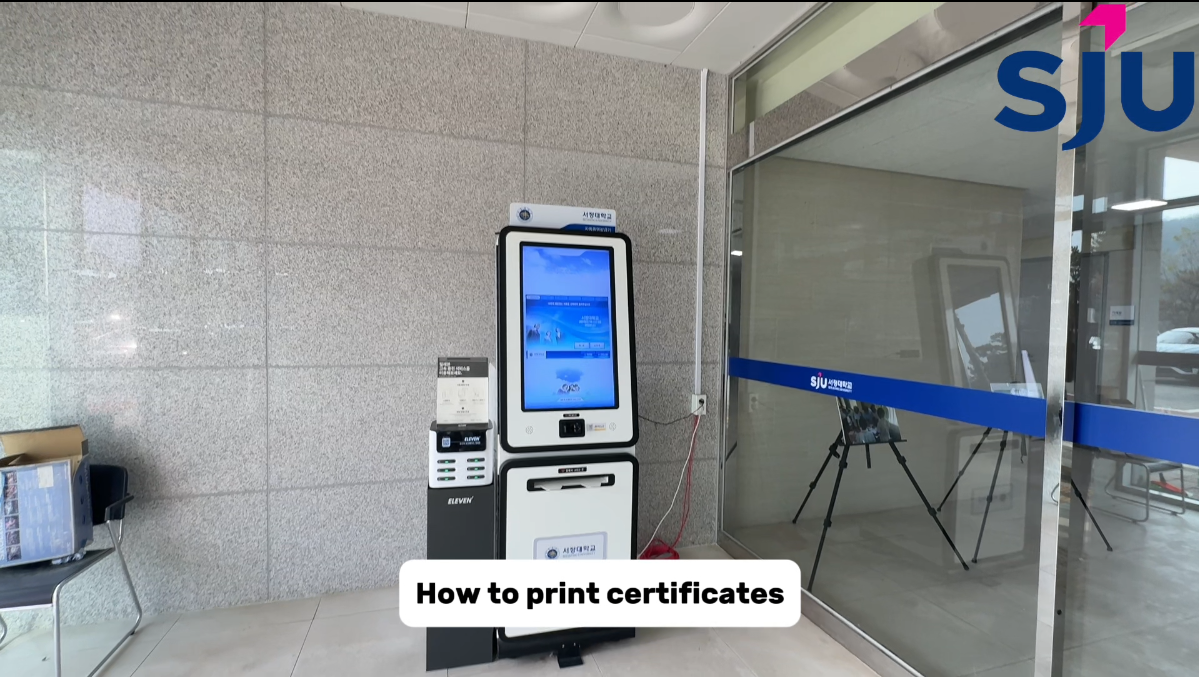
: First, find the certificate machine.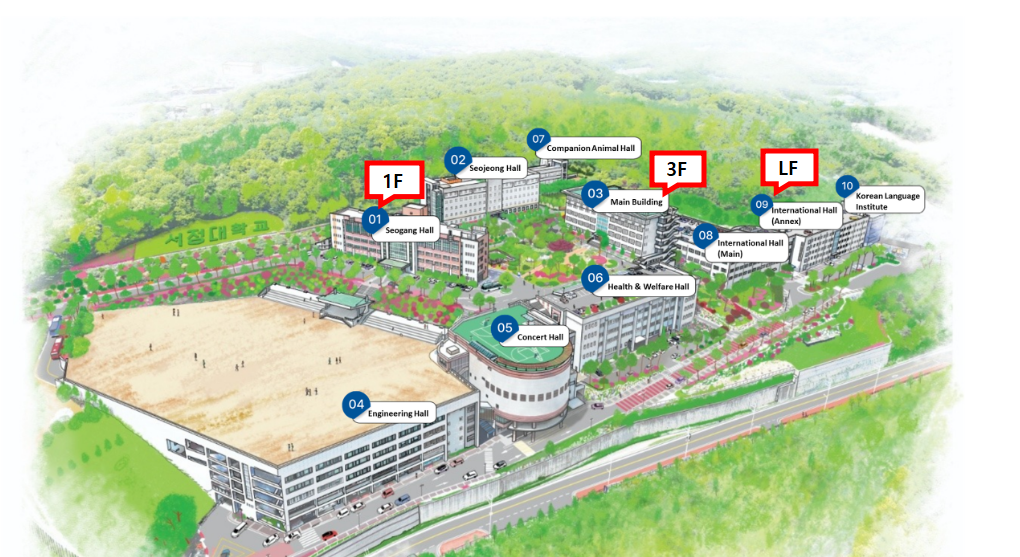
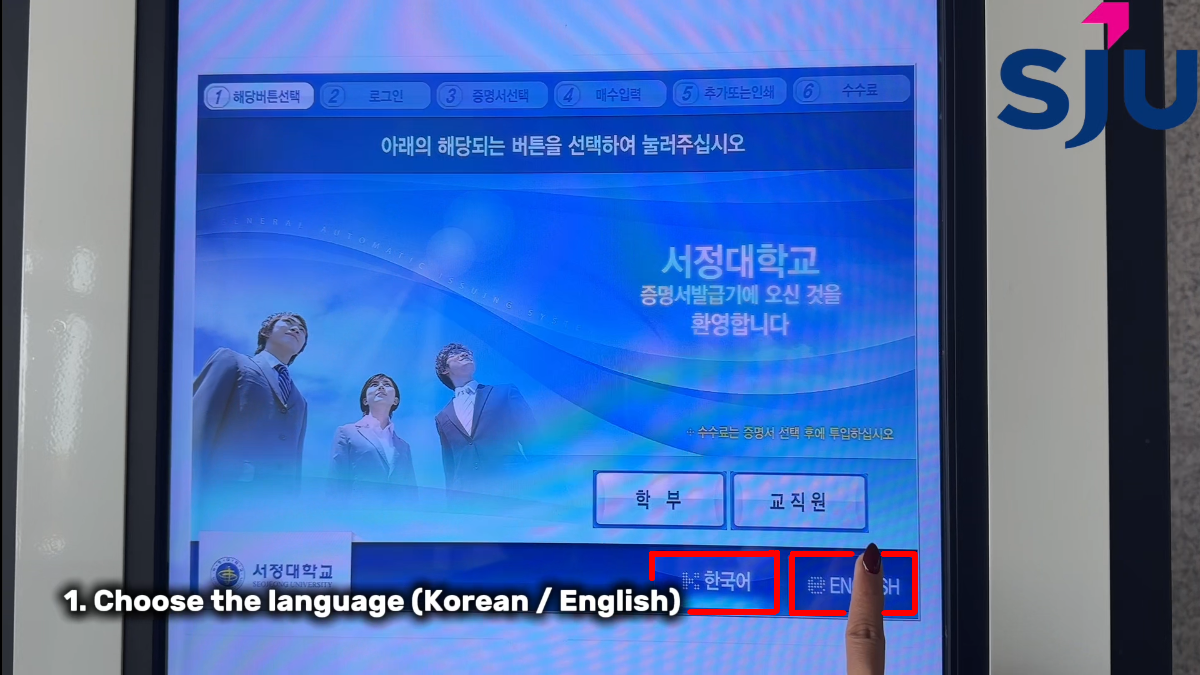 ① Select your language (Korean/English).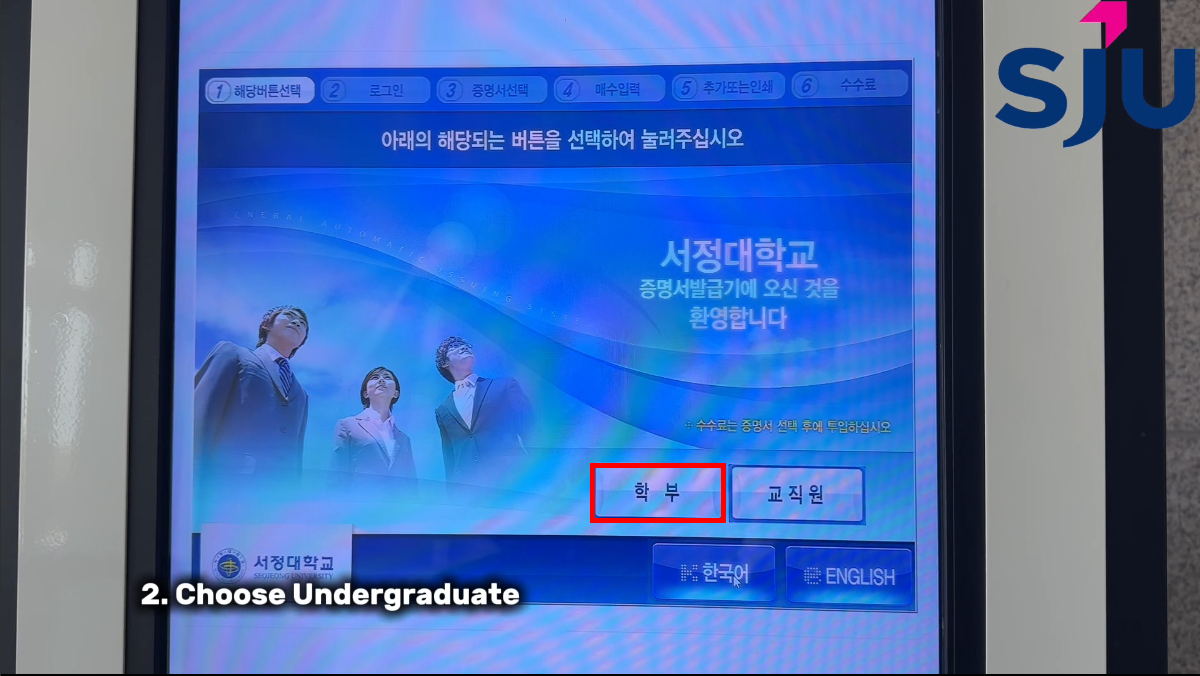
② Choose Undergraduate.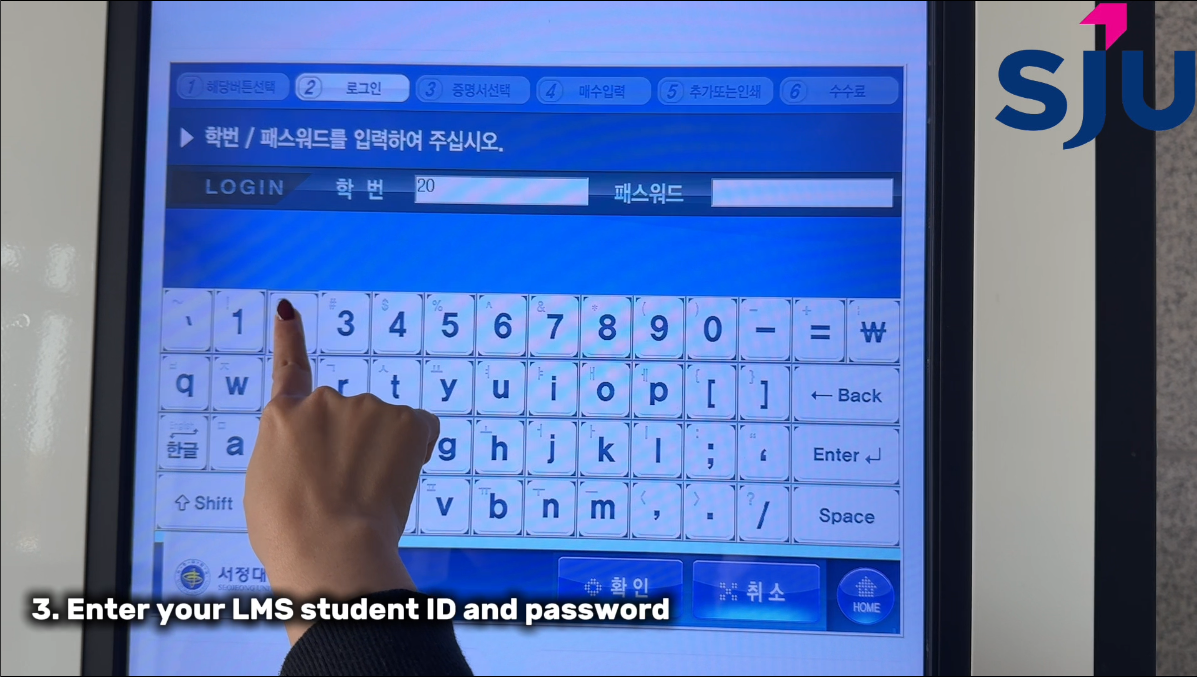
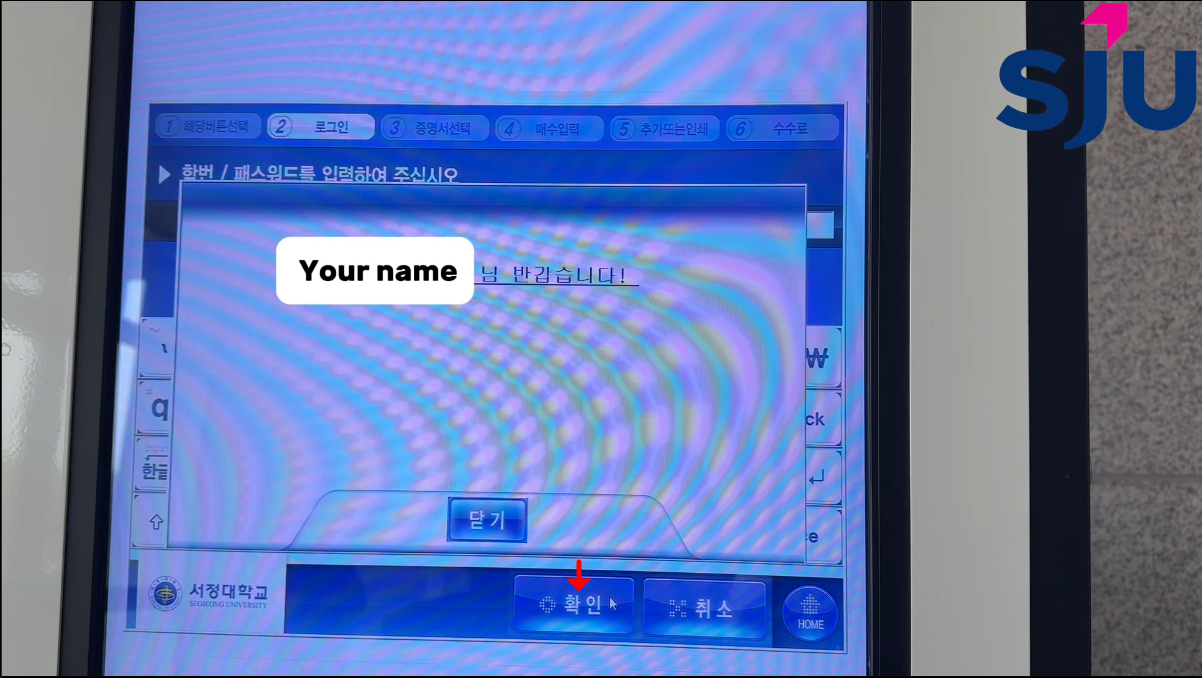
③ Enter your LMS student ID and password.
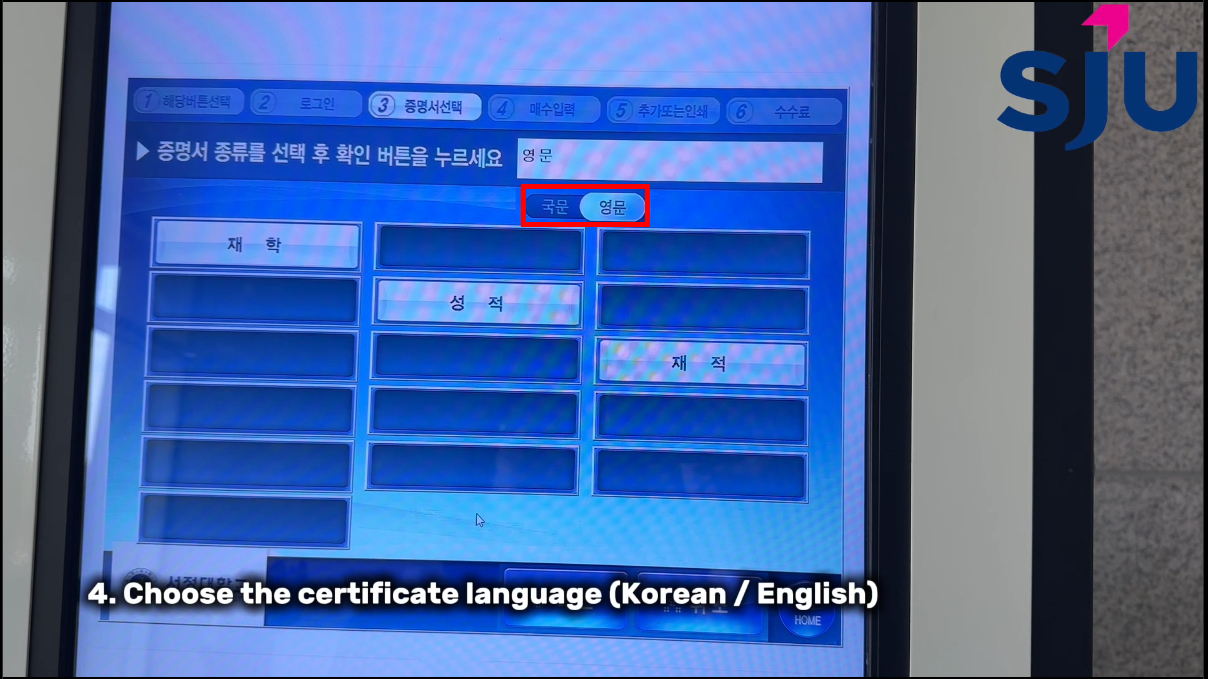
④ Choose the certificate language (Korean/English).
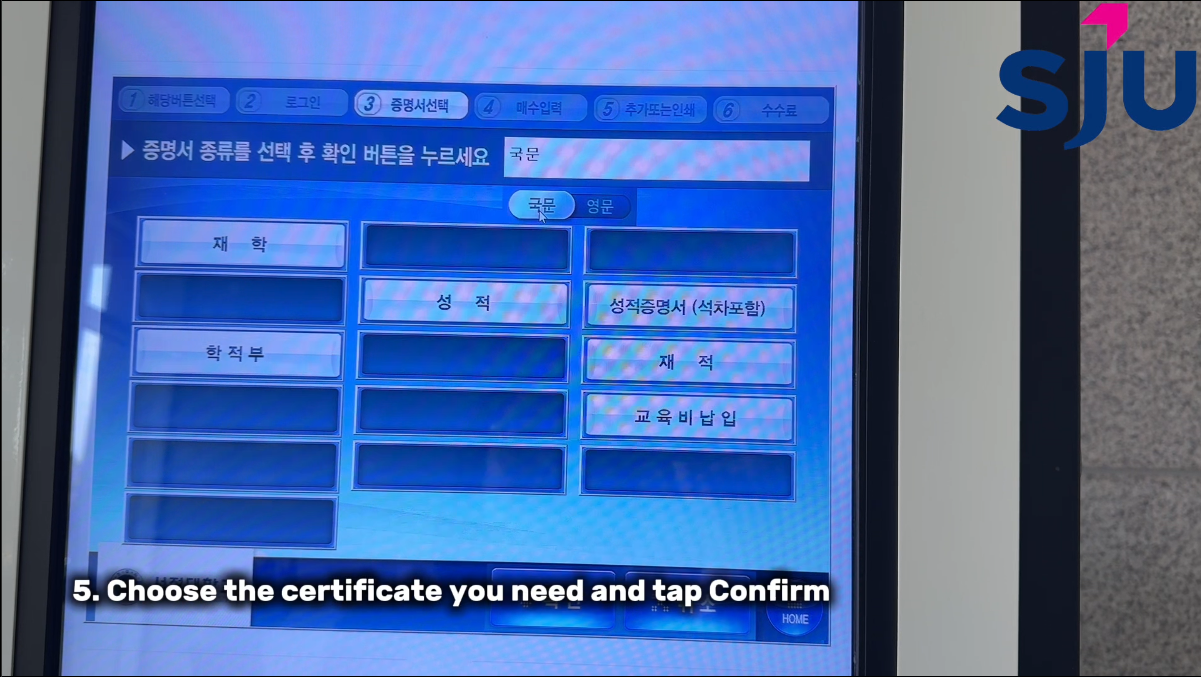
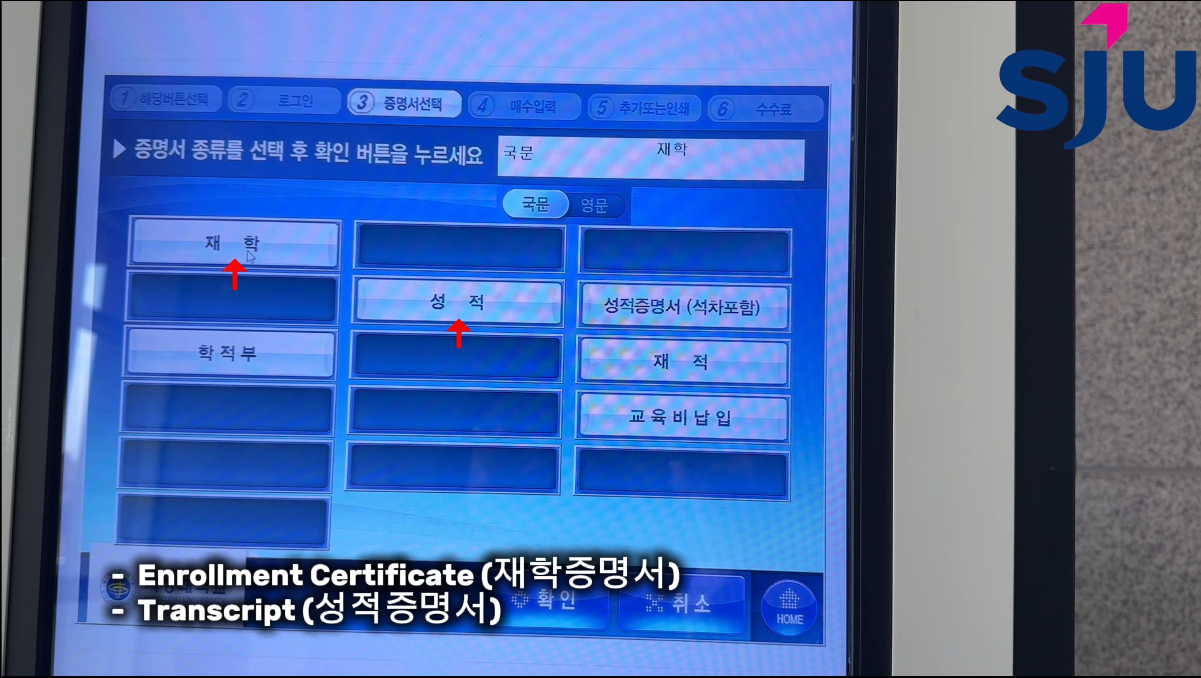
⑤ elect the certificate you need (Enrollment / Transcript)
> Choose the number of copies.
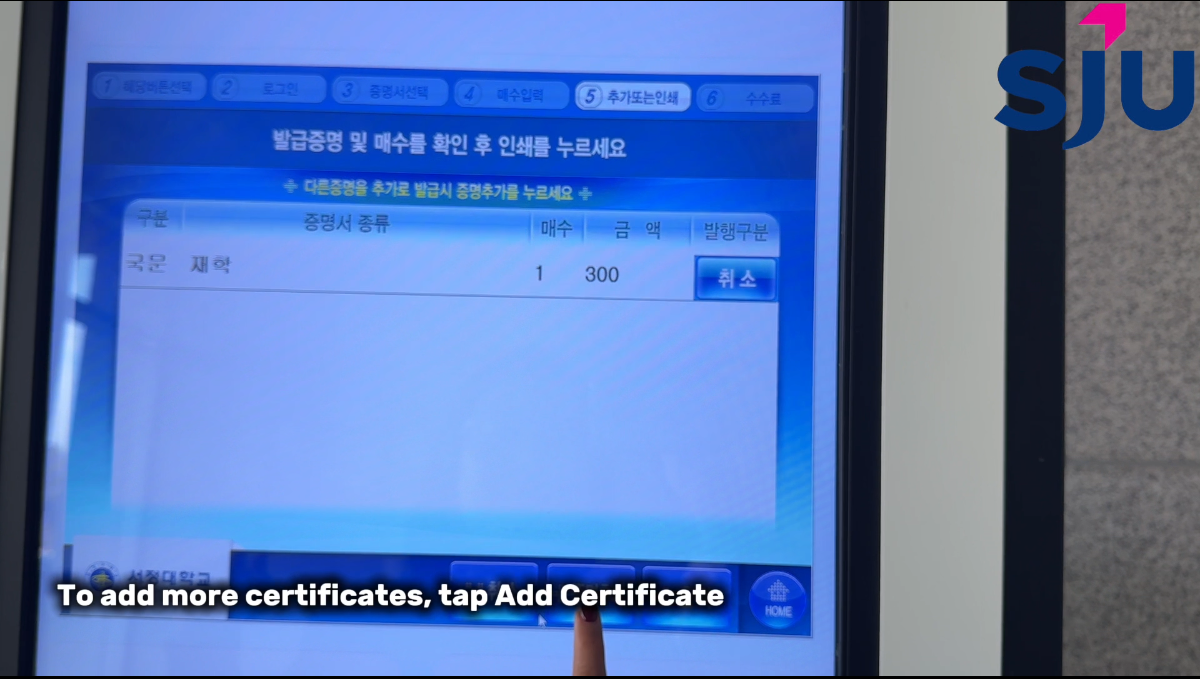
*If you need more types of certificates, click Add Certificate.
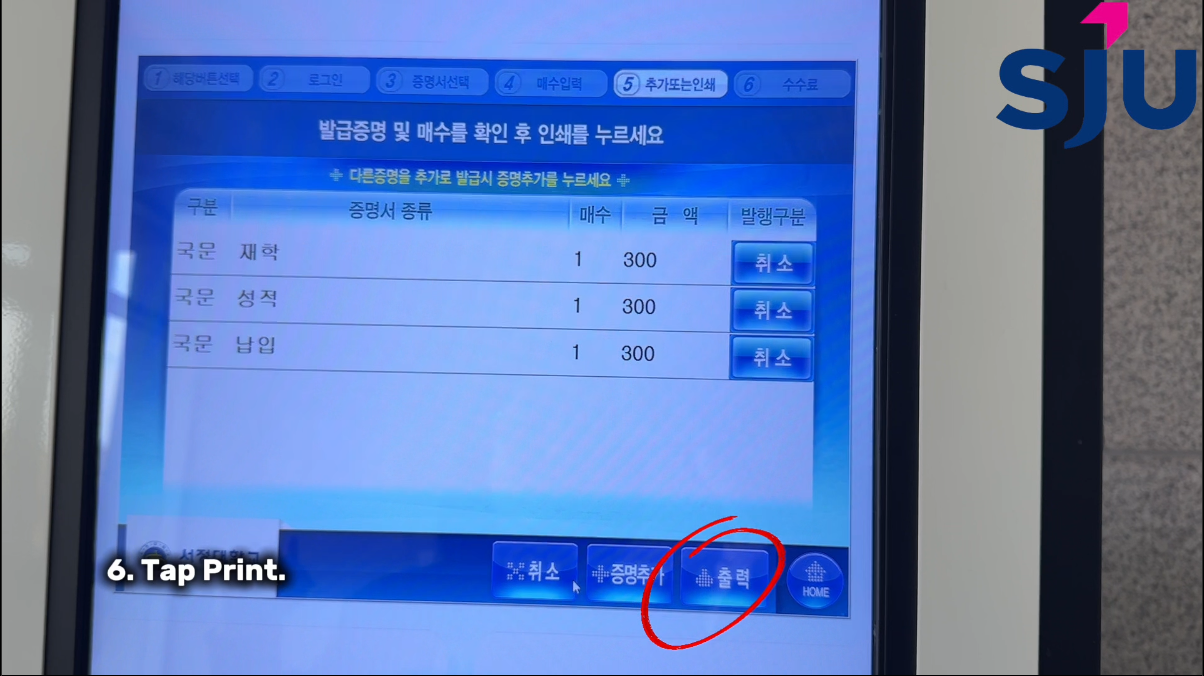
⑥ Press the Print button.
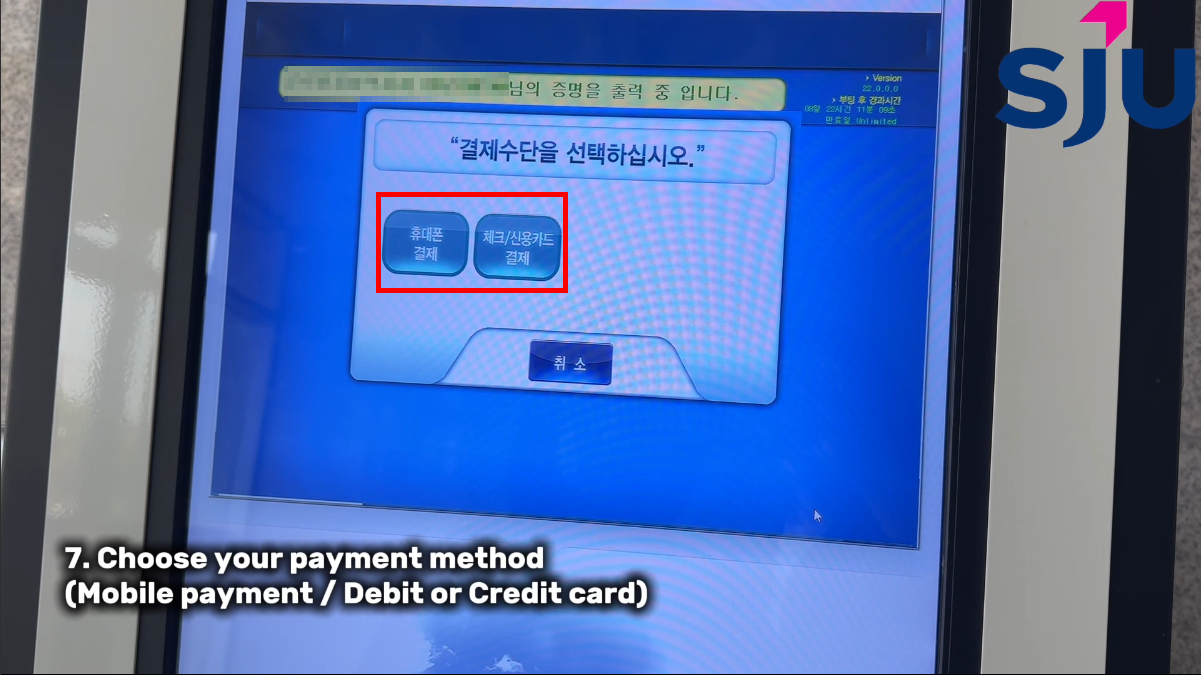
⑦ Choose your payment method (Mobile payment / Debit or Credit card).
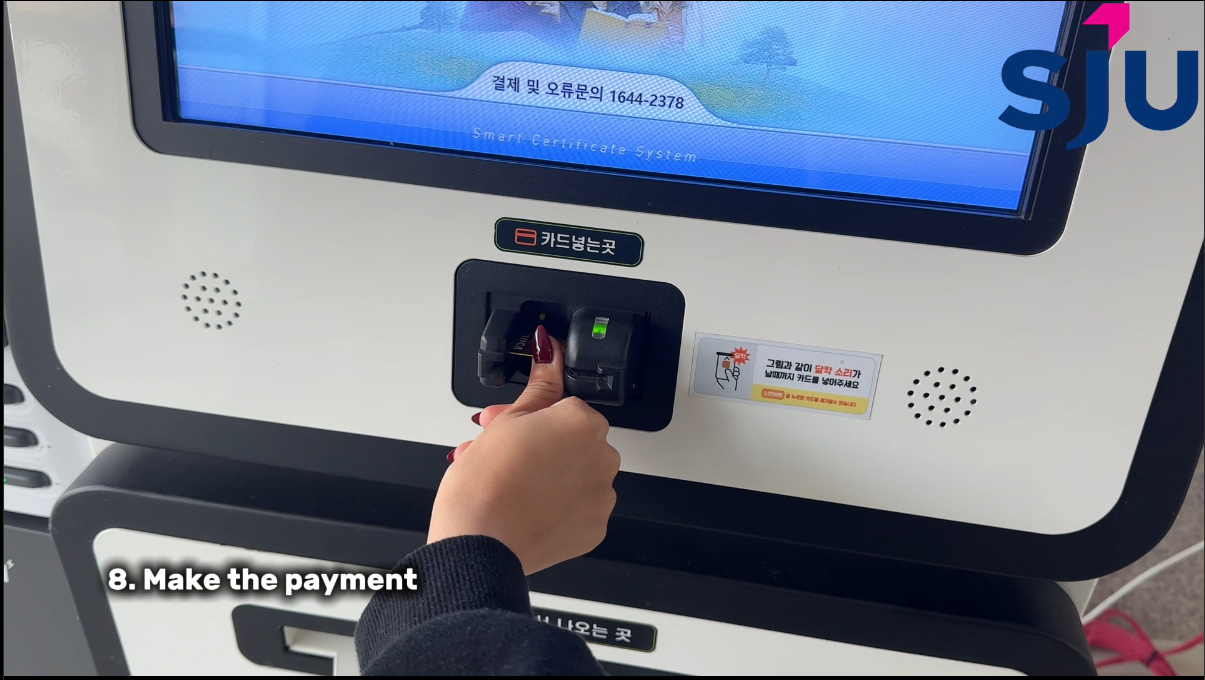
⑧ Make the payment.
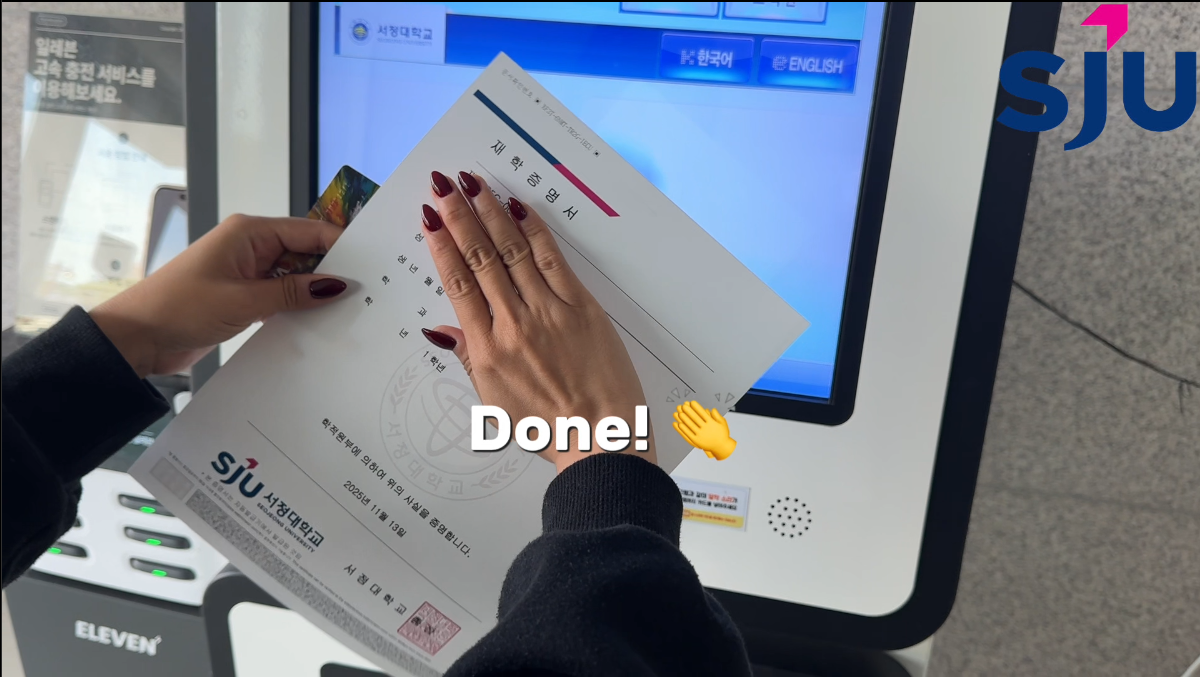
Printing complete!
링크 : https://youtu.be/6w6aivhBG2Y?si=LoGnW5VP_jULsDXA
붙임 : 증명서 발급 방법(영어)
Previous
Next
홈페이지 이용과 관련하여 불편사항 및 건의사항, 보완사항 등의 요청이 있을 경우 아래 이메일 주소로 내용을 기재하여 보내주시면 적극 반영하도록 하겠습니다.
E-mail : webmaster@seojeong.ac.kr